Preferences
The Preferences page lets you control which data types are ingested into your OpsPilot account and configure metric shipping to third-party providers.
Navigate to Administration > Preferences to access these settings.
Signals
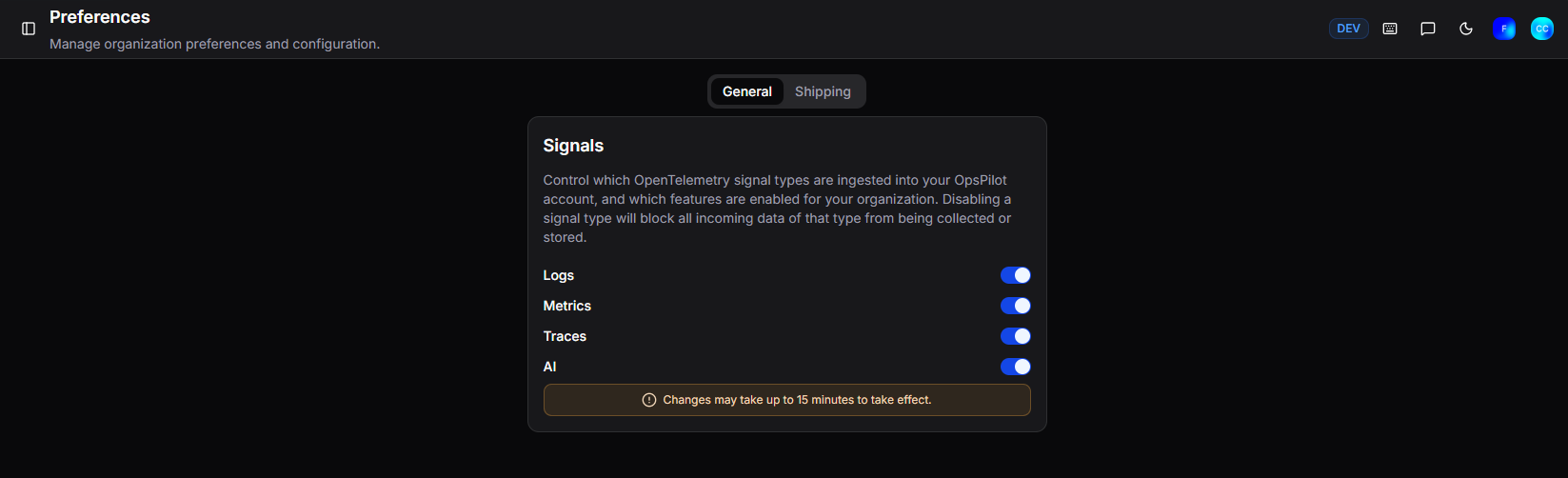
The Signals section controls which OpenTelemetry signal types are ingested into your OpsPilot account. This applies to all incoming data regardless of source (FusionReactor agent, Grafana Alloy, OTel collector, etc.). Disabling a signal type will block all incoming data of that type from being collected or stored.
All signals are enabled by default. Signals give you precise control over what data flows into OpsPilot - useful both for day-to-day management and in emergency situations. For example, if a misconfigured service is causing a log flood or unexpected billing spike, you can immediately disable the relevant signal type to stop ingestion while you investigate.
Note
Signals are only available on OpsPilot cloud plans. On-premise plans do not have this feature.
| Signal | Description |
|---|---|
| Logs | Enable or disable log ingestion |
| Metrics | Enable or disable metric ingestion |
| Traces | Enable or disable trace ingestion |
| AI | Enable or disable OpsPilot AI |
Warning
Changes may take up to 15 minutes to take effect.
Shipping
The Shipping tab is available if Metric Shipping is included on your plan. It configures where the FusionReactor agent sends its data. By default the agent ships to OpsPilot, but you can configure it to send to any OTel-compatible provider - such as Datadog, Grafana Cloud, or your own OTel collector.
Simple

Configure a single destination for all signal types:
| Field | Description |
|---|---|
| Endpoint URL | The destination URL for your OTel collector (e.g. https://otel-collector.example.com) |
| Protocol | The transport protocol - gRPC or HTTP |
| Headers (optional) | Any authentication headers required by your collector (e.g. Authorization=Bearer xxx) |
Advanced
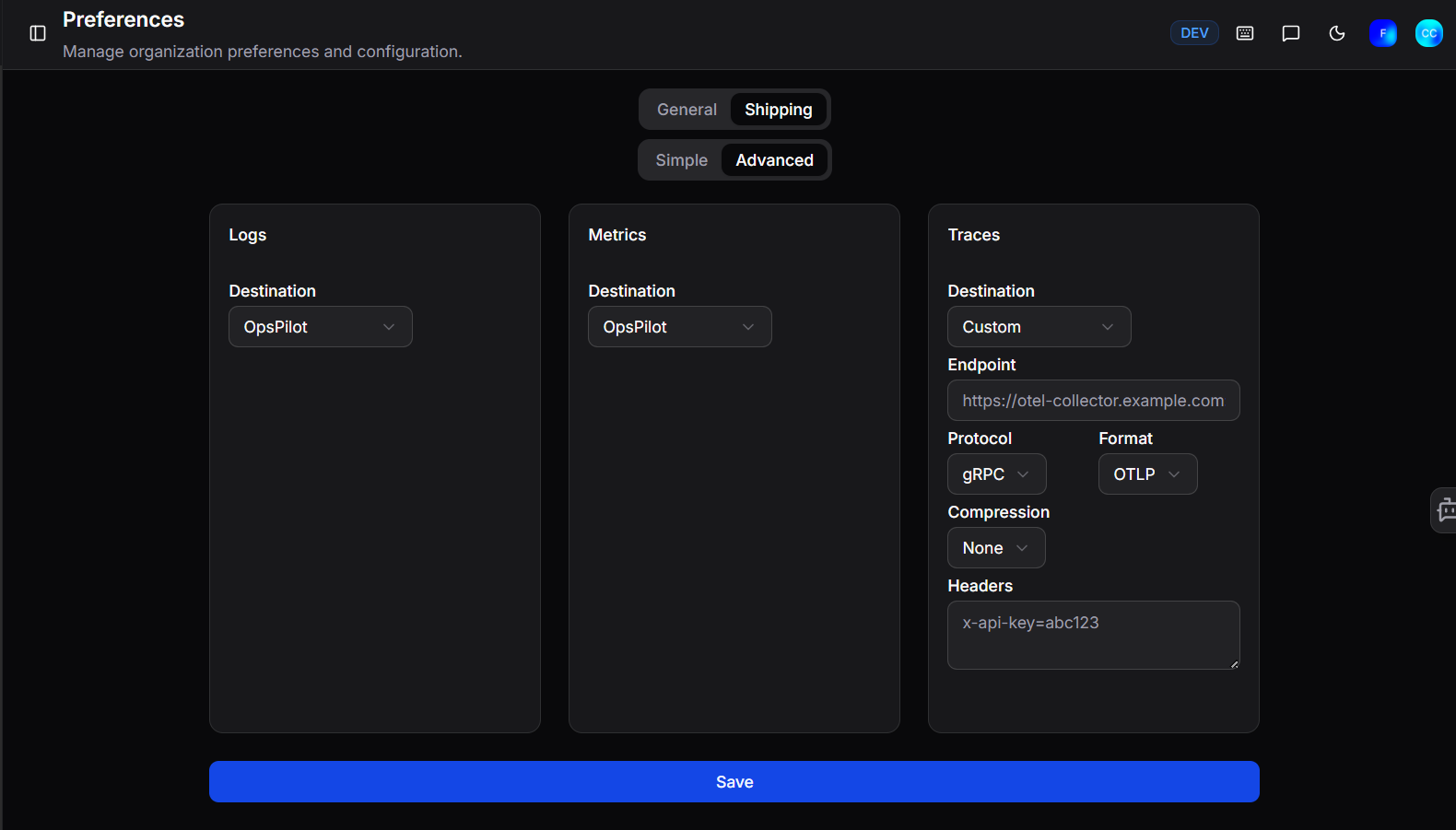
Configure a separate destination for each signal type - Logs, Metrics, and Traces can each be sent to a different endpoint. This is useful if you want to route different data types to different providers.
Set the Destination for each signal type:
| Option | Description |
|---|---|
| OpsPilot | Send the signal to OpsPilot (default) |
| Custom | Send to a third-party OTel-compatible endpoint |
| Disabled | Stop shipping that signal type entirely |
When Custom is selected, the following fields are available:
| Field | Description |
|---|---|
| Endpoint | The destination URL (e.g. https://otel-collector.example.com) |
| Protocol | The transport protocol - gRPC or HTTP |
| Format | The data format - OTLP |
| Compression | Optional compression - None or gzip |
| Headers | Any authentication headers (e.g. x-api-key=abc123) |
Click Save to apply your changes.
OTel shipping endpoints
For a full list of provider-specific endpoints (Datadog, Grafana Cloud, etc.), see the FusionReactor OTel shipping configuration.
Need more help?
Contact support in the chat bubble and let us know how we can assist.