Settings
Configure incident roles, statuses, and severities. Navigate to Incidents > Settings to open it.
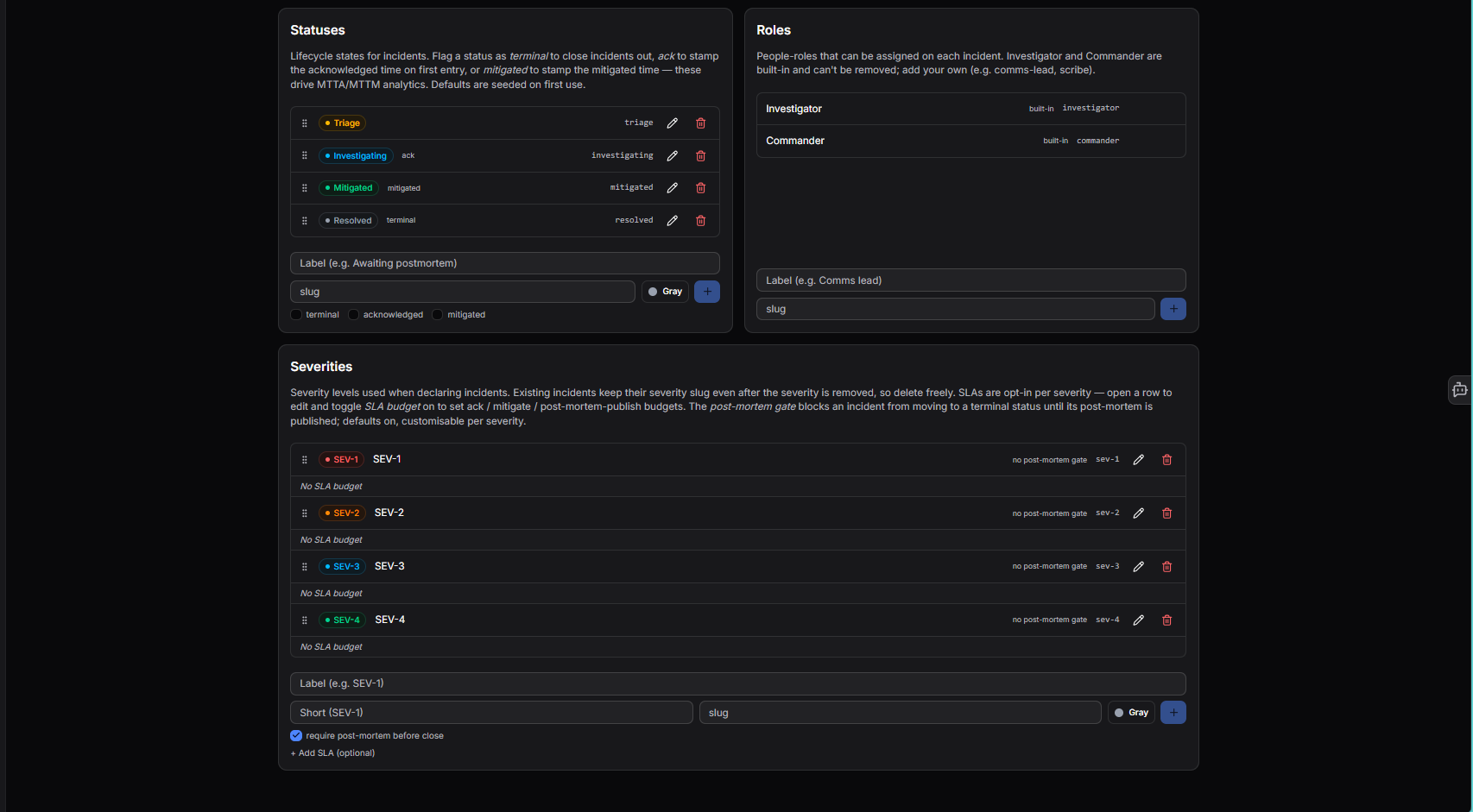
Statuses
Lifecycle states for incidents. These drive MTTA/MTTM analytics and defaults are seeded on first use.
Each status can be flagged with one or more behaviours:
| Flag | Effect |
|---|---|
| terminal | Closes the incident when this status is set |
| acknowledged | Stamps the acknowledged time on first entry - used for MTTA calculation |
| mitigated | Stamps the mitigated time - used for MTTM calculation |
Default statuses:
| Status | Flag | Slug |
|---|---|---|
| Triage | - | triage |
| Investigating | acknowledged | investigating |
| Mitigated | mitigated | mitigated |
| Resolved | terminal | resolved |
To add a status, enter a label, slug, and colour then click +. Existing statuses can be edited or deleted.
Roles
People-roles that can be assigned on each incident. Investigator and Commander are built-in and cannot be removed. Add your own (e.g. comms-lead, scribe) by entering a label and slug then clicking +.
Severities
Severity levels used when declaring incidents. Existing incidents keep their severity slug even after the severity is removed, so you can delete freely.
Default severities: SEV-1, SEV-2, SEV-3, SEV-4.
Options per severity:
- SLA budget - opt-in per severity. Toggle on when editing a row to set ack / mitigate / post-mortem-publish time budgets.
- Post-mortem gate - blocks an incident from moving to a terminal status until its post-mortem is published. On by default, customisable per severity.
To add a severity, enter a label, short name, slug, and colour then click +.
Need more help?
Contact support in the chat bubble and let us know how we can assist.