Post-mortem templates
A good post-mortem is one that actually gets written. Templates remove the blank-page problem by giving your team a consistent structure to fill in rather than having to start from scratch when they are tired and ready to move on.
Consistent post-mortems also build institutional knowledge over time - the same sections, the same questions, the same level of detail - making it easier to spot patterns across incidents and demonstrate improvement to stakeholders.
Create a template once and it becomes available to select from the Post-mortem tab on any incident.
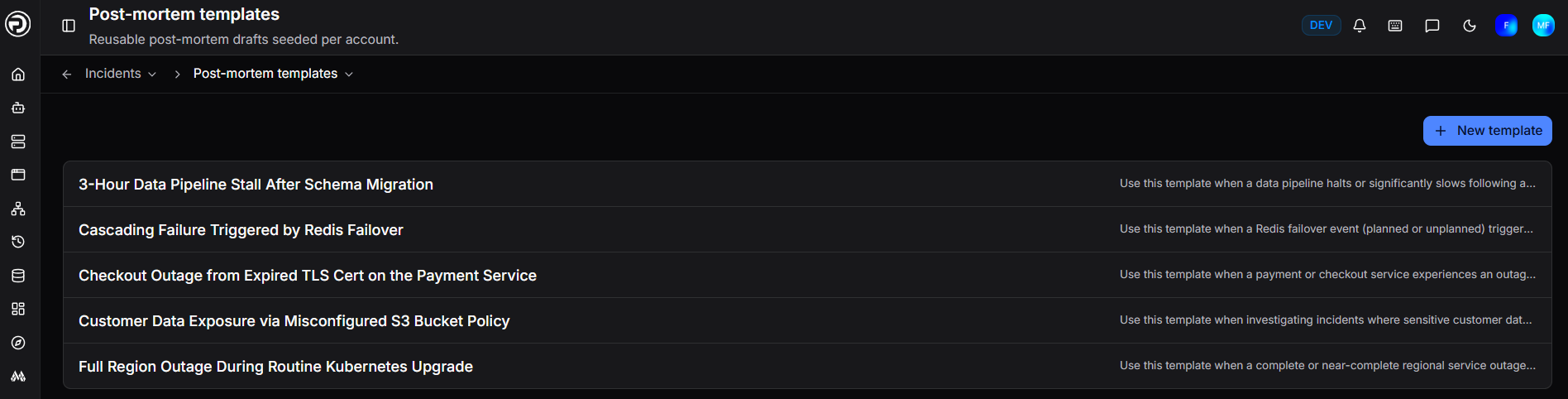
Creating a template
Navigate to Incidents > Post-mortem templates and click + New template.
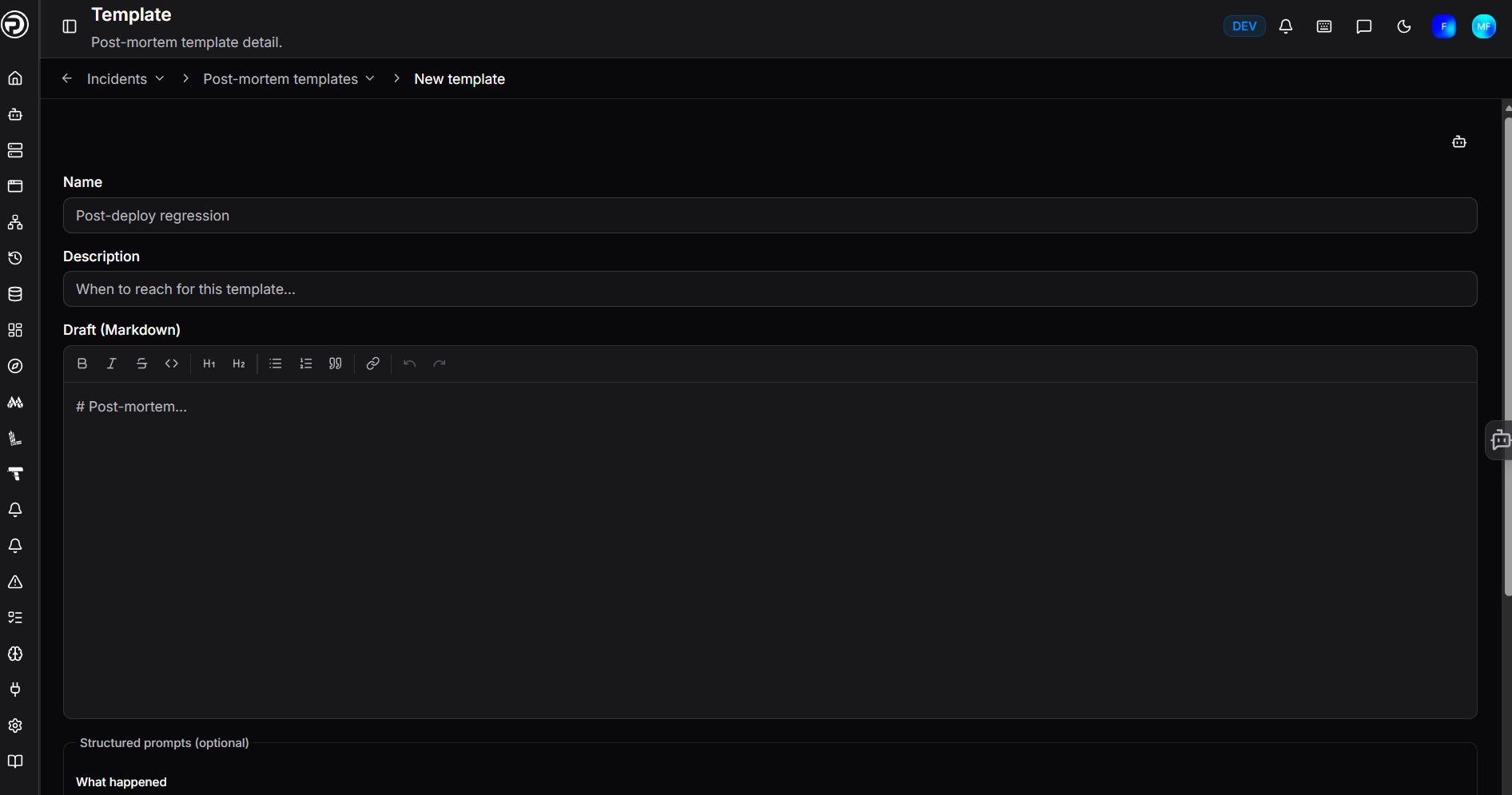
| Field | Description |
|---|---|
| Name | A descriptive name for the template (e.g. Post-deploy regression) |
| Description | Guidance on when to reach for this template (optional) |
| Draft | The template body, written in Markdown. Use this for headings, standard sections, and boilerplate text your team fills in each time. |
| Structured prompts | Optional labelled fields - What happened, Impact, Root cause - that prompt writers to cover the key areas. |
Click Create to save the template.
Using a template
When an incident is resolved, open the Post-mortem tab on the incident detail page and click Choose a starting point. Your saved templates appear as options alongside a blank page. Select one to open the editor pre-populated with the template content.
Write or edit the post-mortem in the Markdown editor, then export it when done. Exports are available as PDF, Markdown, or HTML.
Managing templates
All templates are listed on the Incidents > Post-mortem templates page. Edit or delete any template at any time. Changes do not affect post-mortems already in progress on existing incidents.
Need more help?
Contact support in the chat bubble and let us know how we can assist.