Shipping
Configure where the FusionReactor agent sends its telemetry data. Navigate to Data and Licenses > Shipping to open it.
By default the agent ships to OpsPilot, but you can configure it to send to any OTel-compatible provider - such as Datadog, Grafana Cloud, or your own OTel collector.
Note
Shipping is only available if Metric Shipping is included on your plan.
Simple

Configure a single destination for all signal types:
| Field | Description |
|---|---|
| Endpoint URL | The destination URL for your OTel collector (e.g. https://otel-collector.example.com) |
| Protocol | The transport protocol - gRPC or HTTP |
| Headers (optional) | Any authentication headers required by your collector (e.g. Authorization=Bearer xxx) |
Advanced
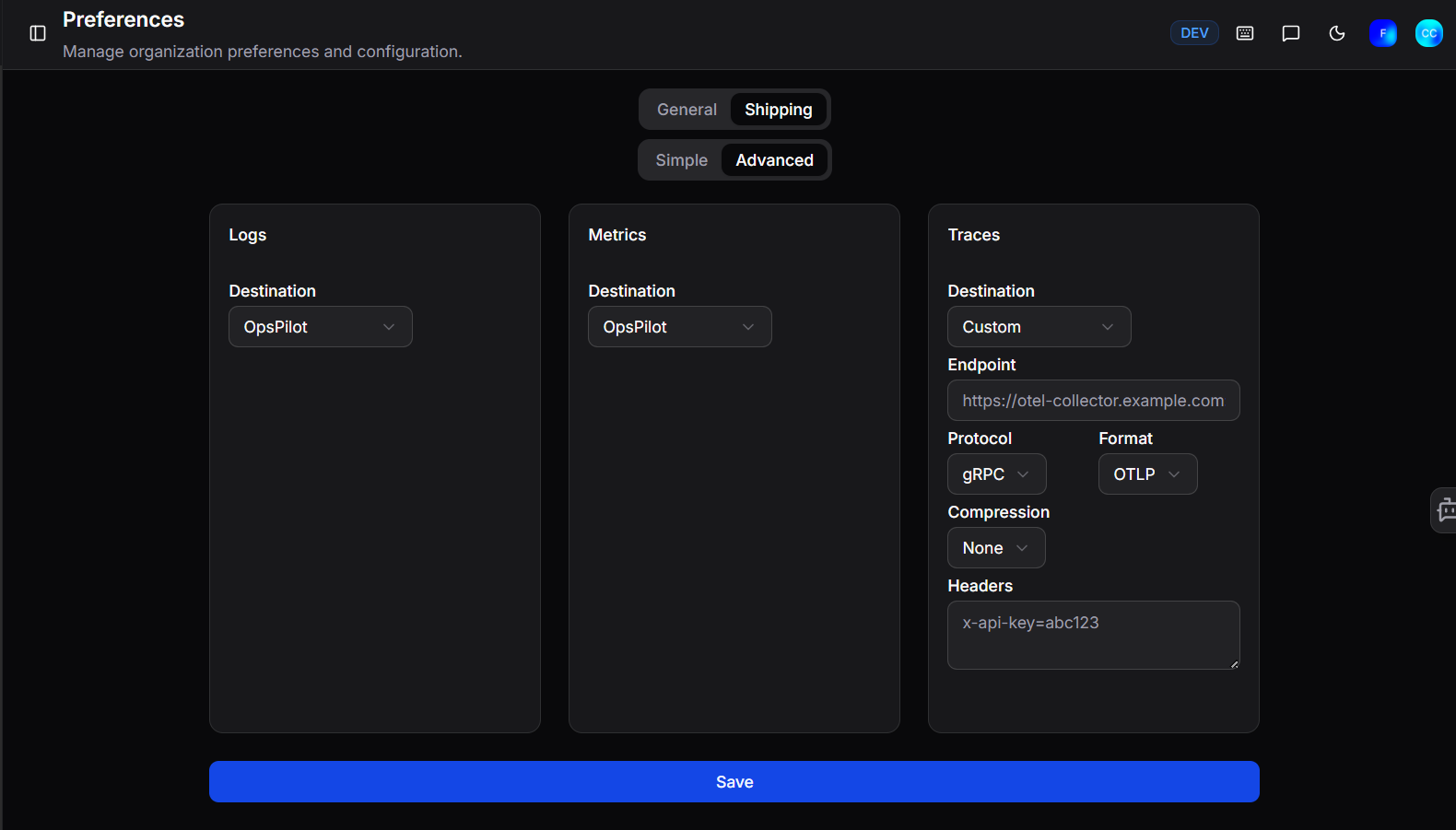
Configure a separate destination for each signal type - Logs, Metrics, and Traces can each be sent to a different endpoint. This is useful if you want to route different data types to different providers.
Set the Destination for each signal type:
| Option | Description |
|---|---|
| OpsPilot | Send the signal to OpsPilot (default) |
| Custom | Send to a third-party OTel-compatible endpoint |
| Disabled | Stop shipping that signal type entirely |
When Custom is selected, the following fields are available:
| Field | Description |
|---|---|
| Endpoint | The destination URL (e.g. https://otel-collector.example.com) |
| Protocol | The transport protocol - gRPC or HTTP |
| Format | The data format - OTLP |
| Compression | Optional compression - None or gzip |
| Headers | Any authentication headers (e.g. x-api-key=abc123) |
Click Save to apply your changes.
OTel shipping endpoints
For a full list of provider-specific endpoints (Datadog, Grafana Cloud, etc.), see the FusionReactor OTel shipping configuration.
Need more help?
Contact support in the chat bubble and let us know how we can assist.