Knowledge
Coworker builds a growing understanding of your systems, your services, and your preferences over time. Everything it does - investigating alerts, running tasks, talking to you - adds to this knowledge and carries forward into future investigations.
Click the Knowledge button on the Coworker dashboard to explore what Coworker has learned - its memories, areas, and observations.
The header shows live counts for your organization: memories and observations throughout, plus the number of areas in the Areas view and the number of nodes and links in the Graph view.
Knowledge is available in three views, selectable from the tabs at the top: Areas, Graph, and List.
Areas
Areas is where the page opens. It groups everything Coworker knows by the kind of memory it holds, so you can see what it has learned at a glance rather than scanning the whole graph.
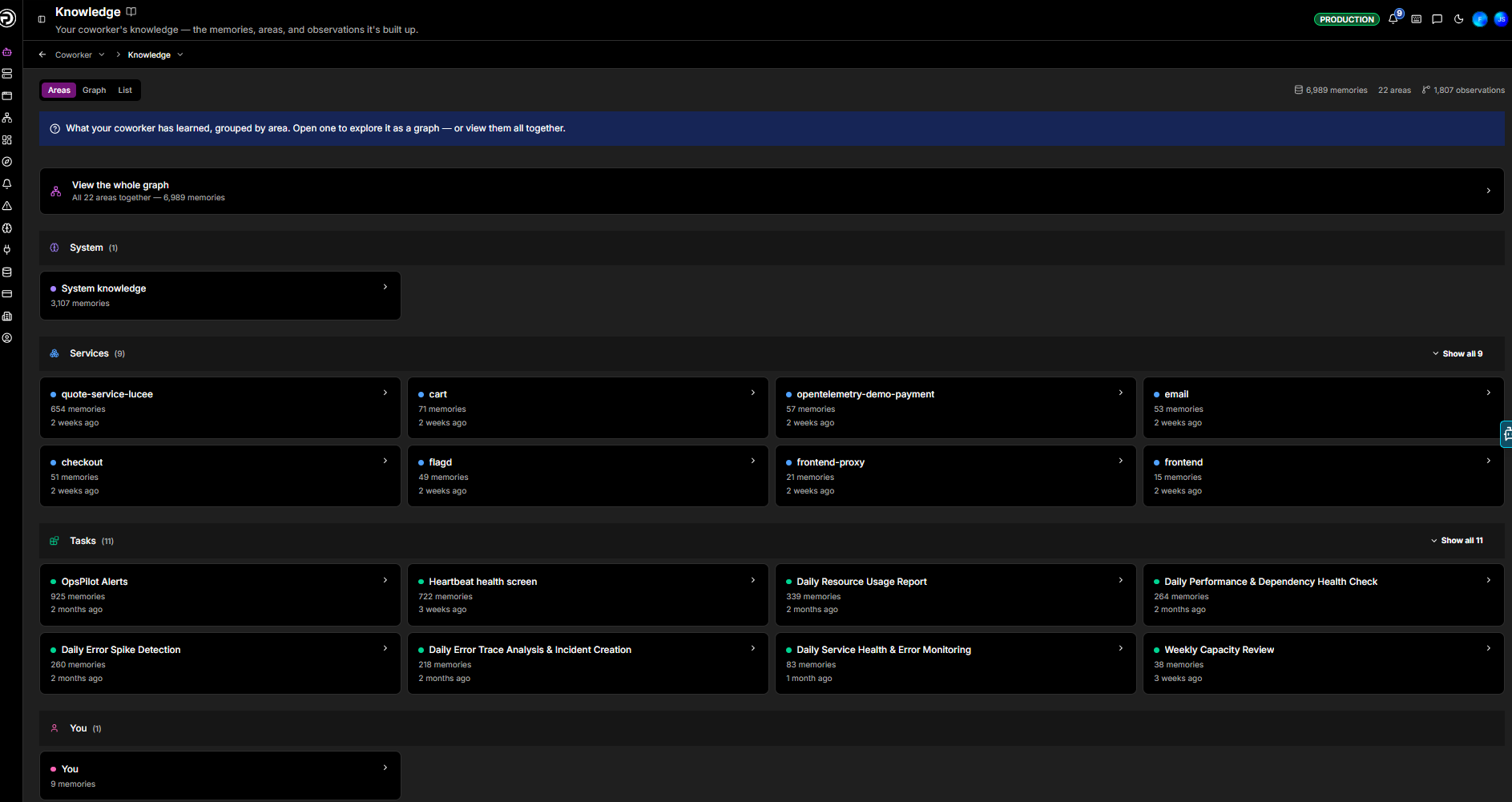
There are four kinds:
| Area | What it holds |
|---|---|
| System | Higher-level understanding that governs the whole system - how services interact and behave together, what's normal across the estate, and what tends to break. Shared across your organization |
| Services | Service-specific memories for an individual cataloged service (e.g. cart). A first-class memory type introduced with the service catalog, so system memory can focus on the bigger picture rather than single-service detail |
| Tasks | What a recurring task or event source has turned up over its runs (e.g. OpsPilot Alerts, a daily error review, the heartbeat health screen). Reusing this context can cut token costs by up to 50% on long-running tasks |
| You | Your personal preferences and the way you like to work, learned from your conversations. This builds up the more you talk to Coworker, so it may be sparse at first |
Each area card shows how many memories it holds and when it last changed. Open an area to explore it as a graph on its own, or choose View the whole graph to see every area together as a single map.
Graph view
A visual, interactive map of what Coworker knows. Nodes represent entities (services, databases, concepts) and the links between them show relationships. Node size reflects how frequently an entity is referenced.
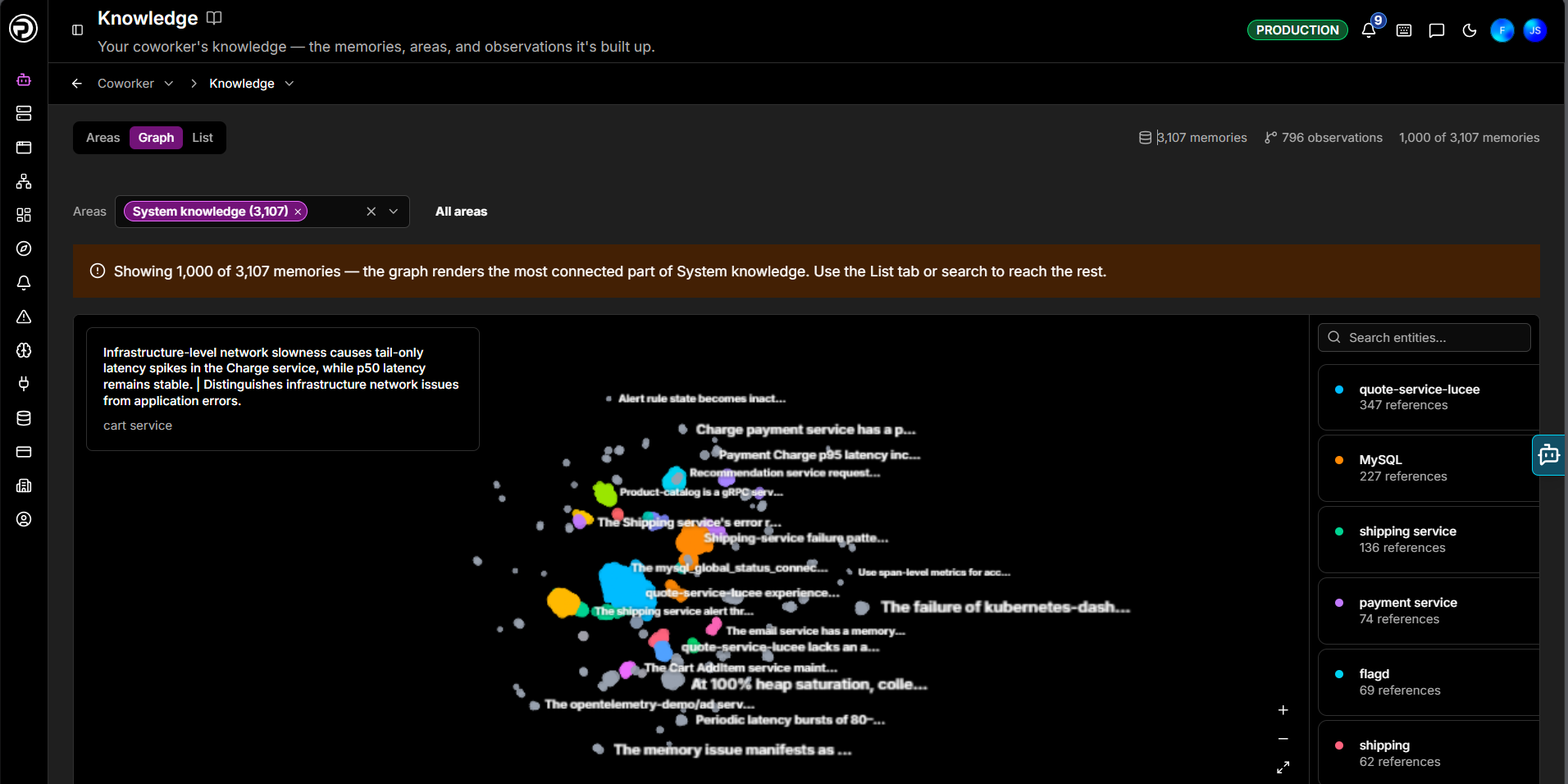
- Filter by area - the Areas selector at the top scopes the graph to the areas you choose; a legend on the canvas shows which are in view. Clear it to see everything together.
- Navigate - scroll to zoom, drag to rotate, and right-drag to pan around the map.
- Inspect - click any node for its details.
- Entities panel - the panel on the right lists every entity ranked by reference count. Use the search box to jump to a specific one.
List view
A searchable list of individual memories, browsed one area at a time.
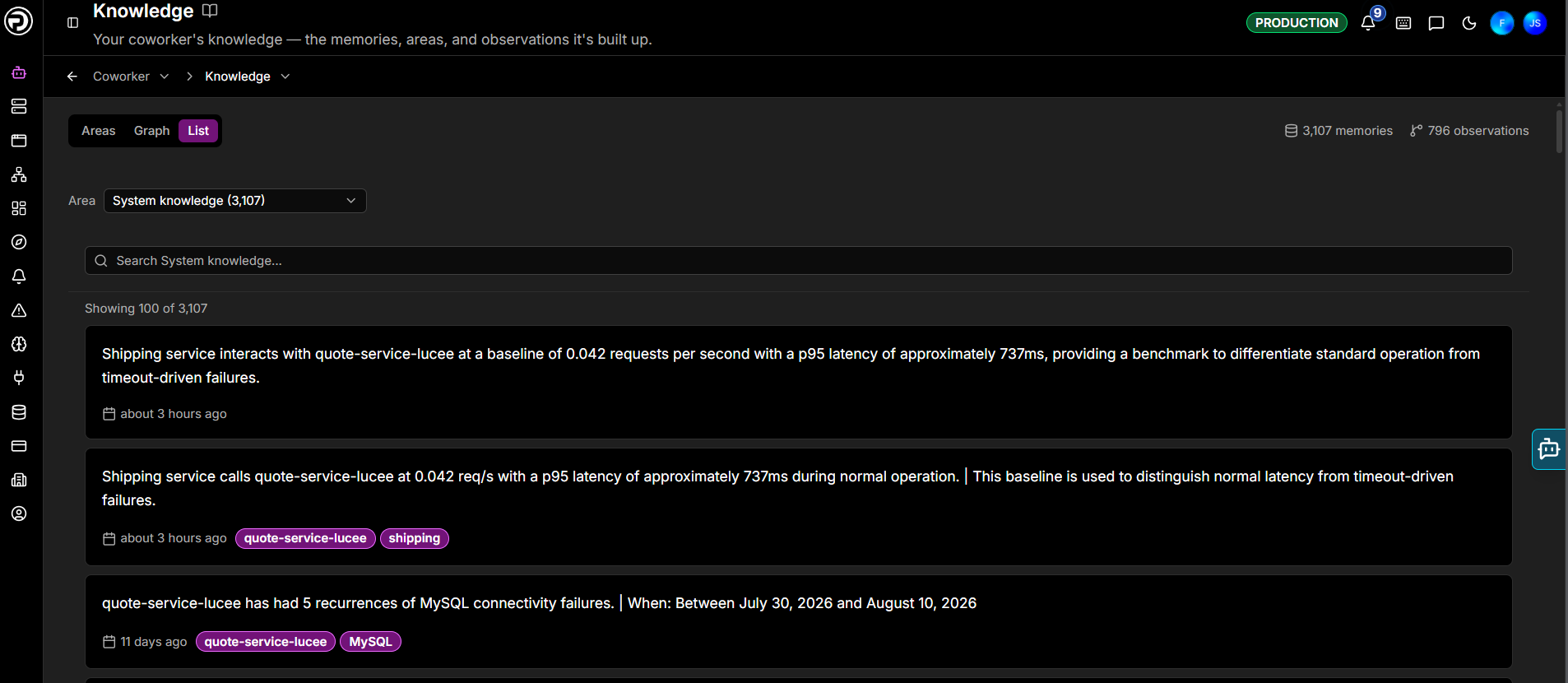
| Control | Description |
|---|---|
| Pick an area | Choose which area's memories to browse - System knowledge, a service, a task, and so on |
| Search | Filter within the selected area by keyword |
A count above the list shows how many memories are displayed out of the area's total (e.g. Showing 100 of 603). Each memory shows the fact Coworker recorded, when it was added, and any entity tag attached to it.
Correcting Coworker
When Coworker raises something that isn't a problem, dismiss it with a quick reason, such as "this is expected" or "too noisy". Coworker turns your correction into a lasting fact: next time it sees the same pattern on the same service, it remembers and won't raise it again.
A little tuning goes a long way
A few early corrections go a long way towards tuning Coworker to your reality.
Need more help?
Contact support in the chat bubble and let us know how we can assist.