Signals
Control which OpenTelemetry signal types are ingested into your OpsPilot account. Navigate to Data and Licenses > Signals to open it.
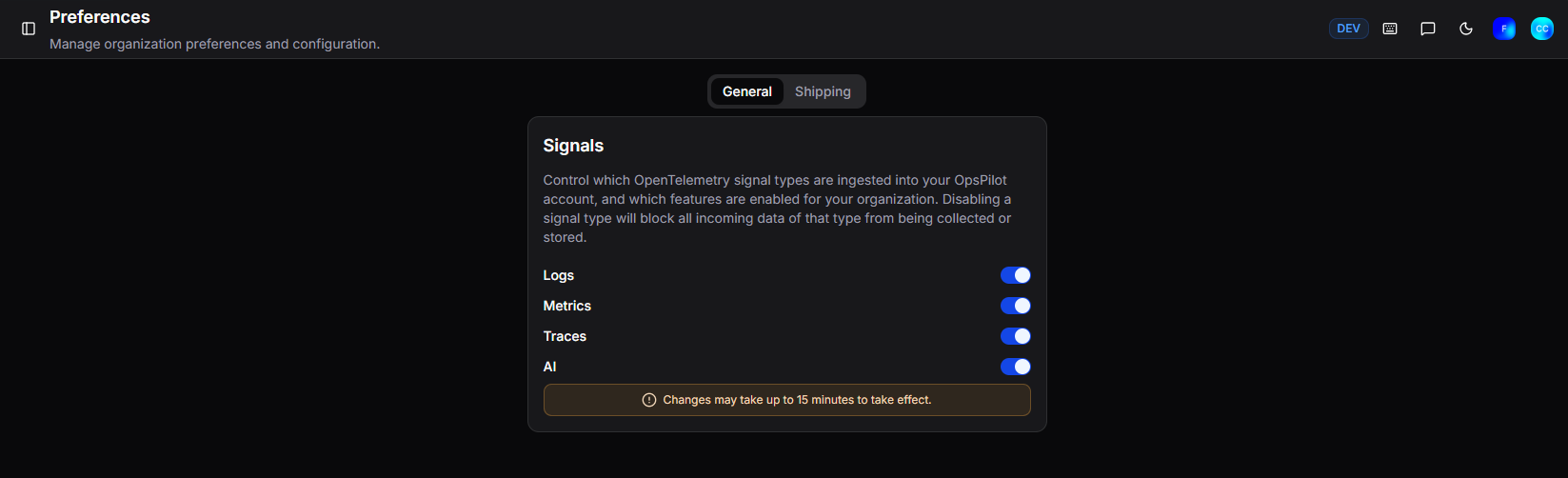
Disabling a signal type will block all incoming data of that type from being collected or stored. This applies to all incoming data regardless of source (FusionReactor agent, Grafana Alloy, OTel collector, etc.).
| Signal | Description |
|---|---|
| Logs | Enable or disable log ingestion |
| Metrics | Enable or disable metric ingestion |
| Traces | Enable or disable trace ingestion |
| AI | Enable or disable OpsPilot AI |
All signals are enabled by default. Disabling a signal is useful in emergency situations - for example, if a misconfigured service is causing a log flood or unexpected billing spike, you can immediately disable the relevant signal type to stop ingestion while you investigate.
Warning
Changes may take up to 15 minutes to take effect.
Note
Signals are only available on OpsPilot cloud plans. On-premise plans do not have this feature.
Need more help?
Contact support in the chat bubble and let us know how we can assist.