Watched Services
Services you watch to drive watched-service notifications. Navigate to Profile settings > Watched services to open it.
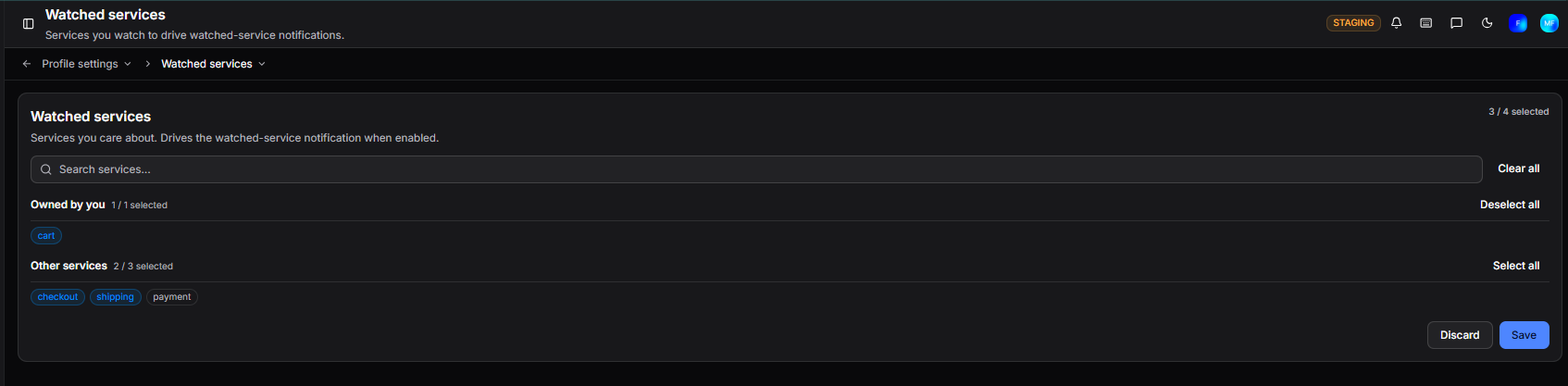
Select the services you want to watch. When a watched service has an incident, you will receive a notification if that notification type is enabled in Notifications.
Services are grouped into two sections:
| Section | Description |
|---|---|
| Owned by you | Services where you are listed as an owner |
| Other services | All other services in your organisation |
Use Select all or Deselect all on each group to bulk-select, or Clear all to deselect everything. A counter shows how many are currently selected out of the total available.
Click Save to apply changes or Discard to cancel.
Need more help?
Contact support in the chat bubble and let us know how we can assist.