Runbooks
When an incident fires, the worst time to figure out what to do is right now. Runbooks let you capture your response procedures in advance - step by step - so that when something goes wrong, your team has a clear path to follow rather than starting from scratch under pressure.
Build a runbook once, attach it to the relevant services and severities, and it surfaces automatically on any matching incident. Institutional knowledge is available to everyone on the team, not just the person who has dealt with it before.

Creating a runbook
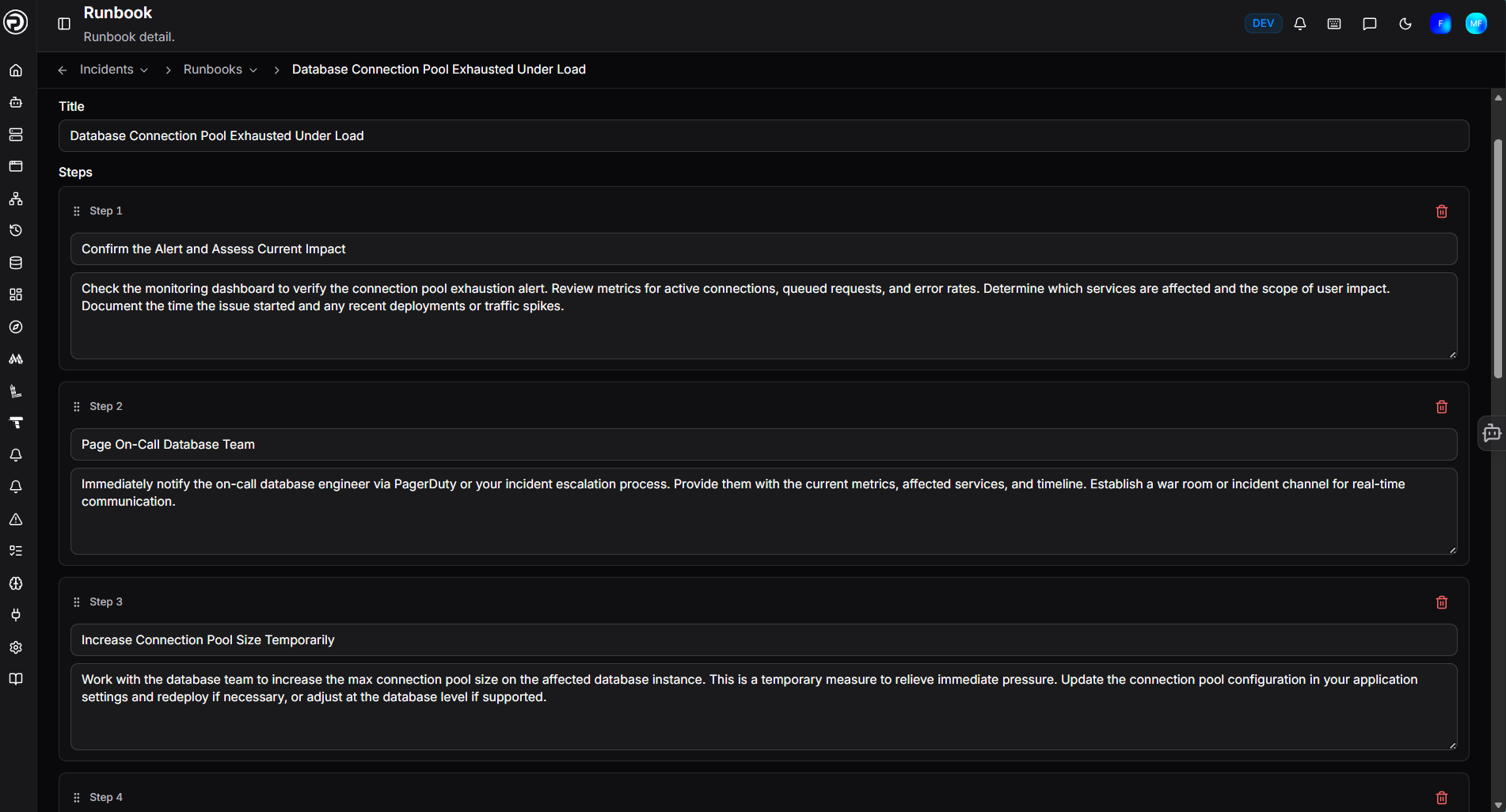
Navigate to Incidents > Runbooks and click + New runbook.
| Field | Description |
|---|---|
| Title | A descriptive name for the runbook (e.g. Checkout 5xx spike) |
| Steps | One or more titled steps, each with a description of what to do. Drag steps to reorder them. |
| Services | The catalog services this runbook applies to - select one or more (optional) |
| Severities | The severity levels this runbook applies to - select one or more (optional) |
| Tags | Additional free-text tags to control when the runbook surfaces (optional) |
Click Create to save the runbook.
When an incident is declared, any runbooks whose services, severities, and tags match the incident automatically appear in the incident's sidebar. The more specific the attachment, the more targeted the suggestions. A runbook attached to both SEV-1 and SEV-2 will surface on incidents at either severity.
Using a runbook during an incident
Runbooks that match an incident's services and severity appear automatically in the incident sidebar. Expand a runbook to view its steps, or click to convert all steps into tasks on the incident in one click - each step becomes a task assigned to the incident, ready to be worked through and tracked.
Managing runbooks
All runbooks are listed on the Incidents > Runbooks page. From here you can edit or delete any runbook at any time. Changes take effect immediately on any future incidents that match.
Need more help?
Contact support in the chat bubble and let us know how we can assist.