UI Tunnel
The UI Tunnel opens the full FusionReactor Agent UI for one of your servers directly inside OpsPilot - the same detailed, local interface you would see on the server itself, without exposing the server to the public internet.
It brings the on-premise agent and the cloud together in one place: the complete power of the local FusionReactor tooling with the convenience of OpsPilot, so you can monitor and manage your ColdFusion and Java applications from a single, familiar interface. Because the environment stays the same as the on-premise agent, there's no learning curve as you move to the cloud.
Requires the FusionReactor Agent
The UI Tunnel shows the interface of a running FusionReactor Agent, so it's available only for servers that have the agent installed, updated to the latest version, and reporting to OpsPilot. See FusionReactor Agent for download and installation steps.
Opening the UI Tunnel
There are two ways in:
- From Servers > Servers Overview, click a server's blue tile to open its tunnel.
- From the Servers menu, click UI Tunnel, then choose the server you want.
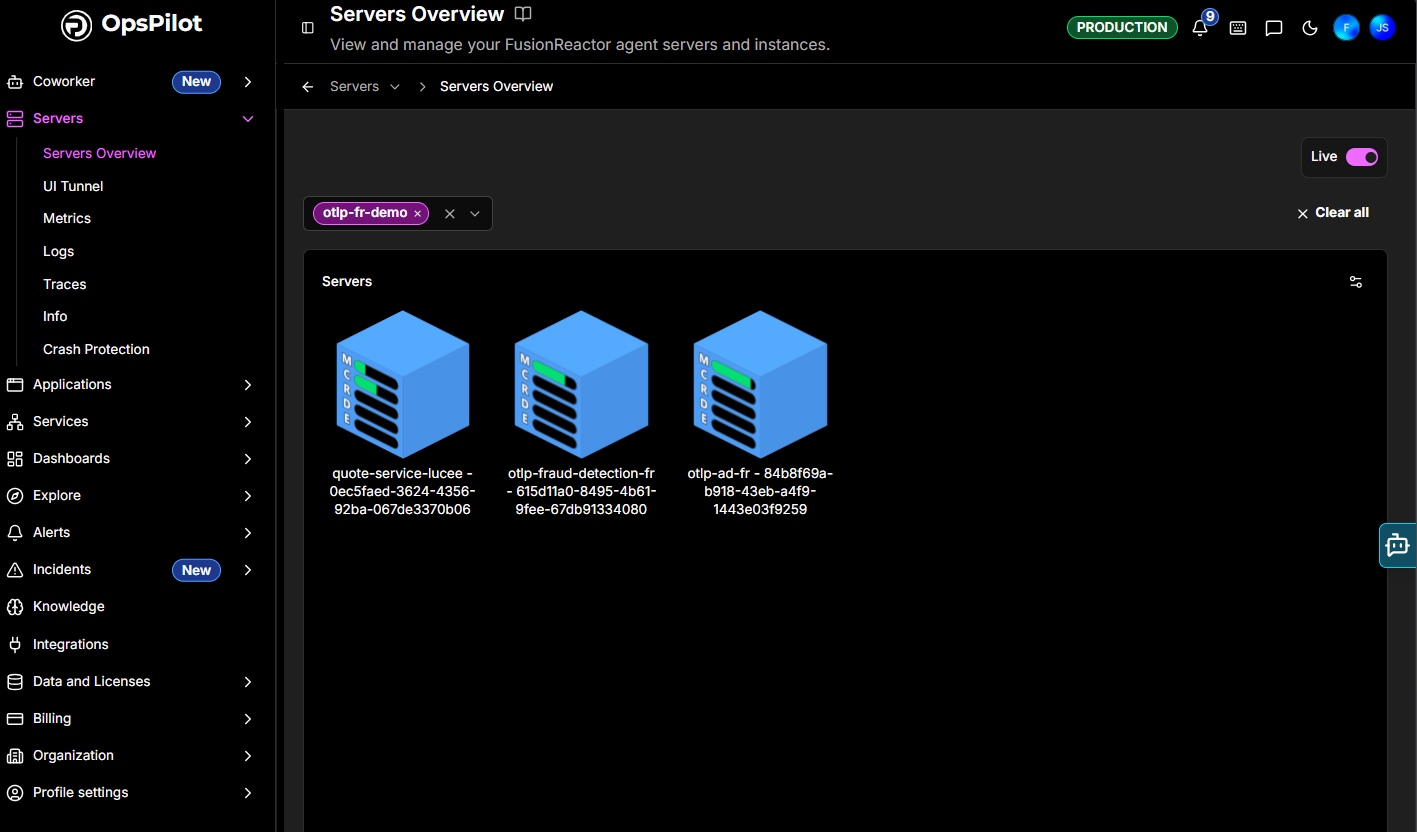
Choosing a server
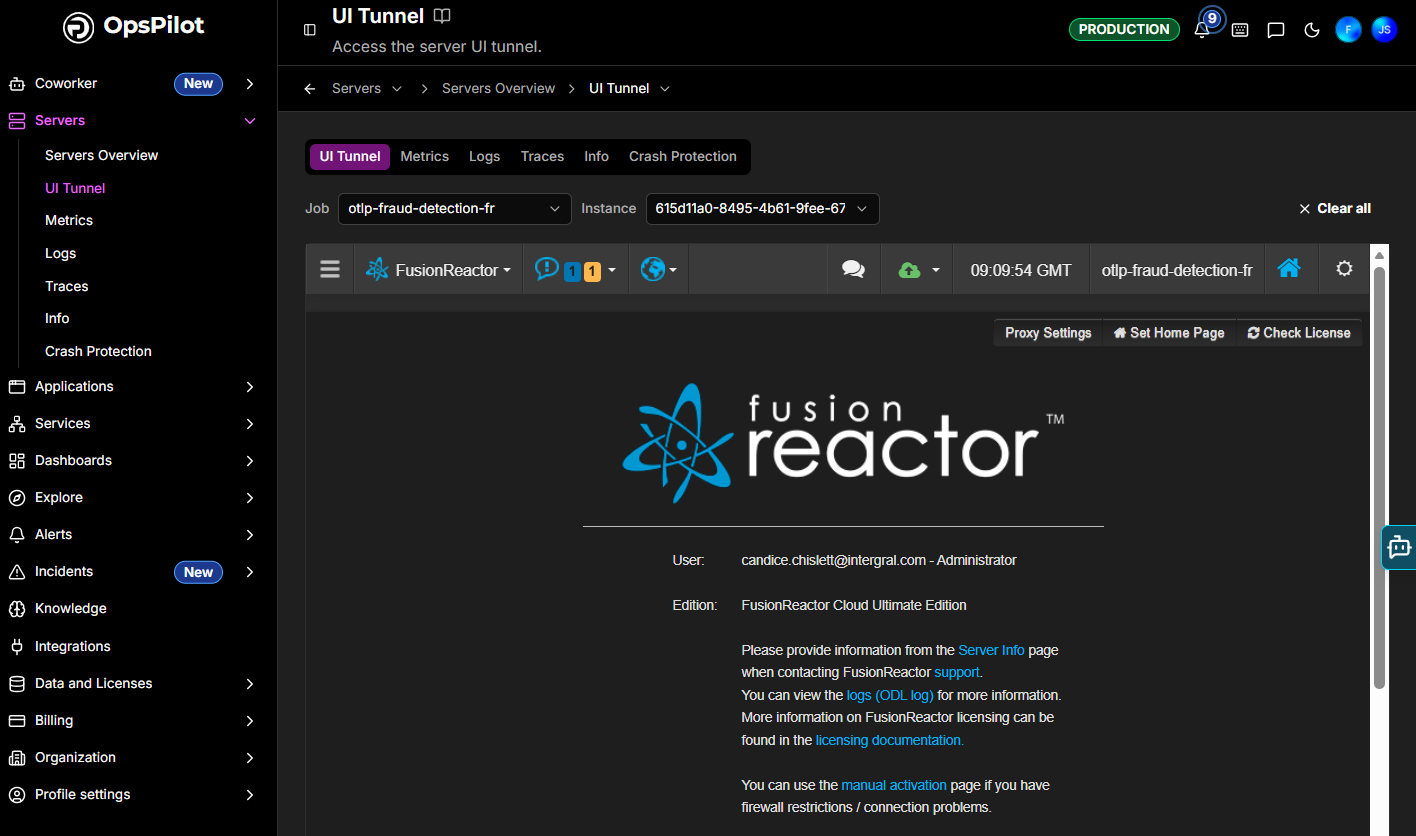
At the top of the UI Tunnel, two selectors control which agent you are viewing:
- Job - the service or application (e.g.
otlp-fraud-detection-fr). - Instance - the specific agent instance for that job.
Use Clear all to reset the selection.
What you can access
The tunnelled view is the agent's own FusionReactor UI, live - the complete on-premise feature set, exactly as if you were logged into FusionReactor on the server, including:
- Metrics, Requests, and Transactions - live application and request performance
- JDBC - database activity
- UEM & Sessions - user experience monitoring and sessions
- Resources and Memory - system resources and memory analysis
- Debug and Profiler - troubleshoot and profile issues directly
- Settings management and the agent's own toolbar (Proxy Settings, Set Home Page, Check License)
Alongside the tunnel, the Metrics, Logs, Traces, Info, and Crash Protection tabs give you OpsPilot's own views for the same server.
Changing the theme
Use the theme control (the sun/moon icon) in the top header bar to switch the interface between Light, Dark, and System (match your operating system), and to pick an accent Color. Dark mode is handy for extended monitoring sessions.

Need more help?
Contact support in the chat bubble and let us know how we can assist.